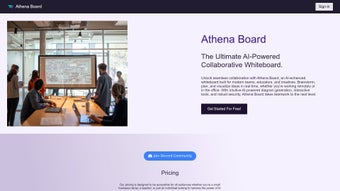

Download Whiteboard by Athena AI – Collaborative AI Writing Assistant for Teams
Overview
Whiteboard by Athena AI is a cloud‑based, subscription‑driven AI writing assistant that transforms the way teams brainstorm, organize, and refine ideas. Built around a digital whiteboard metaphor, the platform blends real‑time collaboration with intelligent content generation, allowing every participant to see, edit, and expand on thoughts instantly. Whether you’re drafting marketing copy, planning product roadmaps, or sketching out creative concepts, the AI engine surfaces relevant suggestions, corrects grammar, and even proposes structural improvements, all while preserving the fluidity of a traditional whiteboard session.
The application’s design prioritizes ease of use: a clean canvas, drag‑and‑drop widgets, and a library of customizable templates that fit common business workflows such as SWOT analyses, user‑story mapping, and meeting minutes. Security is baked in—data is encrypted both in transit and at rest, and the platform complies with GDPR and ISO‑27001 standards, giving enterprises confidence that their intellectual property stays protected.
Since it runs entirely in the browser, there’s no heavy client install, making onboarding quick for distributed teams across Windows, macOS, Linux, Android, and iOS devices. Updates are seamless; new AI models and feature enhancements roll out automatically, ensuring users always have the latest tools without manual patches. In short, Whiteboard by Athena AI offers a modern, secure, and AI‑enhanced environment that amplifies teamwork and accelerates the writing process.
Key Features
- Real‑time collaborative editing with cursor tracking and change history.
- AI‑driven writing assistance that suggests sentences, improves tone, and checks grammar.
- Intuitive drag‑and‑drop interface for adding text blocks, sticky notes, images, and embedded media.
- Customizable templates for brainstorming, project planning, content calendars, and more.
- Version control with automatic snapshots and the ability to revert to previous board states.
- Secure cloud storage with end‑to‑end encryption and compliance with GDPR and ISO‑27001.
- Seamless integration with popular productivity suites such as Google Workspace, Microsoft 365, and Slack.
- Multi‑device support – works on desktop browsers, tablets, and smartphones.
- Export options to PDF, PNG, and Markdown for offline sharing or archival.
- Team permission levels (owner, editor, viewer) to manage access and maintain data integrity.
Each feature is designed to keep the creative flow uninterrupted. For instance, the AI suggestions appear in a non‑intrusive side panel, allowing users to accept, reject, or edit recommendations on the fly. The template library reduces setup time dramatically; a product team can launch a feature‑definition board in under five minutes. Moreover, the version control system acts like a safety net—if an idea goes awry, you can instantly roll back without losing other collaborators’ contributions.
Security isn’t an afterthought. All board data is encrypted with AES‑256, and the platform employs role‑based access controls (RBAC) to ensure that only authorized personnel can edit or export sensitive information. The integration connectors follow OAuth 2.0 standards, so you never have to share passwords with third‑party services. Together, these capabilities make Whiteboard by Athena AI a robust, AI‑powered hub for any team that values speed, clarity, and security in its collaborative writing efforts.
Installation, Usage & Compatibility
Getting started with Whiteboard by Athena AI is intentionally frictionless. Because it’s a web‑based SaaS solution, there is no traditional installation required. Users simply navigate to whiteboard.athena.ai, click “Sign Up,” and choose a subscription plan that fits their team size. After confirming the email address, the dashboard appears, prompting you to create your first board or select a template. The onboarding wizard walks new users through basic functions such as adding sticky notes, inviting teammates, and enabling the AI writing assistant.
System Requirements – The platform runs on any modern browser that supports WebRTC and HTML5 Canvas, including Chrome, Edge, Firefox, and Safari. Minimum specifications are modest: 2 GB RAM, a stable internet connection (minimum 3 Mbps), and a processor capable of handling JavaScript workloads. For mobile users, the responsive design adapts to iOS Safari and Android Chrome, preserving the drag‑and‑drop experience with touch gestures.
Supported Operating Systems: Windows 10/11, macOS 10.15+ (Catalina and later), Linux distributions with recent kernels, Android 8.0+, and iOS 13+.
Usage Workflow – Once inside a board, you can start typing directly on the canvas or click the “AI Assist” button to launch a context‑aware suggestion window. The AI draws from the board’s existing content, your selected tone (formal, casual, persuasive), and industry‑specific lexicons to generate relevant text. Team members can comment on individual elements, vote on ideas, and watch live cursor movements, which fosters a sense of co‑presence even when participants are spread across time zones.
Pros
- Zero‑install, instantly accessible from any device.
- AI assistance that truly understands the collaborative context.
- Robust security and compliance for enterprise use.
- Rich template library accelerates board creation.
- Seamless integration with existing workplace tools.
Cons
- Subscription pricing may be a barrier for very small teams.
- Heavy reliance on internet connectivity; offline mode is limited.
- Advanced AI features require higher‑tier plans.
FAQ & Conclusion
Is there a free trial available for Whiteboard by Athena AI?
Yes, new users can start with a 14‑day free trial that includes full access to all features, including AI writing assistance and premium templates. No credit card is required to begin the trial.
Can I export my board content to other formats?
Absolutely. Boards can be exported as PDF for printable versions, PNG for image snapshots, or Markdown for developers who need plain‑text documentation. Export options are available in the board’s Settings menu.
How does the AI writing assistant maintain data privacy?
All user input is processed in a secure, isolated environment. The AI model does not store any personally identifiable information after the session ends, and all communication between your browser and Athena’s servers is encrypted with TLS 1.3.
What integrations are supported out of the box?
Whiteboard by Athena AI integrates directly with Google Workspace, Microsoft 365, Slack, and Zapier. These connections allow you to push board updates to channels, sync files to Drive or OneDrive, and trigger automated workflows.
Is there an offline mode for when internet access is unavailable?
A limited offline mode is available on mobile devices; you can view previously loaded boards and make basic edits. However, AI suggestions and real‑time collaboration require an active internet connection.
In summary, Whiteboard by Athena AI delivers a powerful blend of collaborative whiteboarding and AI‑enhanced writing that can dramatically improve team productivity. Its secure, cloud‑native architecture means you can start creating instantly, while the rich set of templates and integrations ensures the tool fits naturally into existing workflows. For teams that need to generate high‑quality written content together—whether for marketing, product development, or internal documentation—this platform offers a compelling, future‑ready solution.
Ready to experience AI‑powered collaboration? Start your free trial today and see how Whiteboard by Athena AI can turn scattered ideas into polished, actionable plans—all within a single, secure digital canvas.
Pros: Real‑time AI assistance, strong security, extensive template library.
Cons: No full offline mode, subscription cost for larger teams.



.png)



